
复杂度不会消灭,但架构会决定偶然复杂度构成。
复杂度不会消灭,但架构会决定偶然复杂度构成。软件行业有一个广泛流传的认知误区:优秀的架构可以彻底消灭系统复杂度。很多人期待找到一套银弹架构,把所有复杂问题全部消解,写出永远简单的系统。但现实恰恰相反:业务固有的本质复杂度无法被消除,架构做不到消灭复杂度,它只能重新分配、重塑偶然复杂度的形态与位置。 布鲁克斯在《没有银弹》中把软件复杂度划分为两类:本质复杂度(本质性复杂度) 和 偶然复杂度(附带复杂度)。 本质复杂度来源于业务领域本身,是业务规则、流程、约束与生俱来的困难。例如金融系统的账务校验、制造行业的生产流程、电商的订单履约逻辑,业务规则本身就盘根错节,无论选择什么技术方案,这份客观存在的复杂都躲不开,它是问题自带的属性,架构再精巧也无法把它彻底抹除。 而偶然复杂度,并不是业务本身自带的,而是我们在实现过程中,由架构选型、技术方案、组织分工、工具链路人为制造出来的额外负担。这部分复杂度才是架构真正可以发力的战场。架构不能消弭本质复杂度,但可以选择:把偶然复杂度放在代码内部?放在服务之间?交给运维团队?还是下压到底层中间件?不同的架构,只是偶然复杂度的构成要素、藏身之地发生了改...
工作6年,我是如何看待所谓的升职加薪的
工作六年,从一名刚入职场、只会执行基础工作的新人,一步步成长为可以统筹项目、带领小团队的负责人。我用六年的职场时光参透了一个小道理:升职加薪从来不是职场的终极目标,而是踏踏实实做好每一件小事后,自然而然的副产品。 最近看到很多刚毕业的应届生、职场新人,每天纠结最多的就是如何优化简历、怎么应对面试、怎样快速升职加薪。大家都太急于求成,总想找到职场捷径,跳过沉淀和积累,直接拿到结果。 但很少有人愿意静下心去思考:拿到offer、进入职场之后,真正拉开人与人差距的到底是什么?今天不谈花哨的职场技巧,不讲空洞的成功学,我用自己六年的真实职场经历,复盘普通人可复制的进阶之路,也聊聊我对升职加薪最通透的认知。 身边很多同事、朋友都会问我:你职场晋升速度不算慢,是不是运气好,刚好踩中了行业红利、遇到了靠谱的领导? 客观来说,运气确实占了一部分,在关键的抉择节点助推一把。但纵观六年职场路,真正支撑我稳步晋升、薪资翻倍的,从来不只是运气。而是日复一日,把别人敷衍应付的小事做细、做透、做出结果,这些看似不起眼的积累,最终都成了我职场答辩、晋升评优的底气和底牌。复盘我的六年职场成长,全程没有弯道超车,...
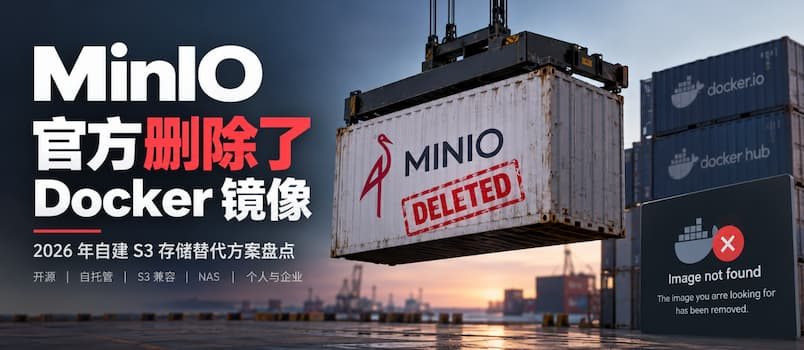
MinIO 开源社区版没了,Docker 镜像也删干净了
以前自建 S3,MinIO几乎就是那个不用多想的答案。 但从 2025 年开始,这个几乎等同于“自建 S3 首选”的开源项目,就开始一刀接一刀地往自己身上砍: 2025.06: MinIO 用户谨慎更新:11万行代码被官方删除,Web 管理功能全没了 2025.12: MinIO 宣布进入维护模式,不再接受任何新功能、改进或拉取请求 2026.02: MiniO 官方仓库不再维护,寻替代品 现在,MinIO 砍下了最后一刀:**官方 Docker 镜像,也没了。**曾经那个累计超过 10 亿次拉取的:minio/minio,如今打开 Docker Hub,已经是 404: 这个结局多少有点离谱。 现在的 Minio 唯一留下的就是已经存档的 GitHub 仓库: 而那个最后一个完整版本的源代码,还在这里:RELEASE.2025-04-22T22-12-26Z。 也…不是不能用,就是觉得很难过。 更麻烦的是,这些版本已经一年多没有正常维护了。如今 AI 发现和利用安全漏洞的速度越来越快,就算旧镜像还能找到,也不敢用了啊。 是时代变了么?是 S3 不需要了么? S3 到...
Docker开启IPv6支持
概述Docker 对 IPv6 的支持已经很久了,但默认仍未启用。本文记录在 Debian 13 下通过 NAT ULA,让容器获得 IPv6 出网能力。这种方式无需配置复杂的路由广播,使用体验与 IPv4 几乎完全一致。 内核前提:宿主机开启 IPv6 转发 sysctl net.ipv6.conf.all.forwarding=1。 修改配置编辑 Docker 守护进程配置文件 1sudo vim /etc/docker/daemon.json 写入以下配置: 123456789101112131415161718192021{ "log-driver": "json-file", "log-opts": { "max-size": "20m", "max-file": "3" }, "ipv6": true, "fixed-cidr-v6": &...
大数据中Lambda和Kappa架构
Lambda 架构一、理论概念Lambda 架构是由 Nathan Marz 提出的大数据混合架构,核心思想:同时使用批处理层 + 速度层(实时层),再通过服务层合并两套结果对外提供查询,用来解决:海量数据下,既要全量准确离线结果,又要低延迟实时视图。 背景:早期纯批处理延迟很高,只能 T+1;纯流处理早期很难做到完美容错、数据不丢不重。Lambda 折中:批层保证最终准确,速度层补上实时增量。 Lambda 四层结构简化版: flowchart LR Source[数据源] --> Batch[批处理层<br/>生成批视图] Source --> Speed[速度层<br/>生成实时视图] Batch --> Serving[服务层<br/>合并两套视图] Speed --> Serving Serving --> App[业务应用查询] 细化版本: flowchart TD A[数据源<br/>日志/传感器/业务事件] --> B[(原始数...
从工程师到系统架构设计师的成长
人们通常把系统架构设计师类比为建筑师,其共同点都是做好顶层设计,充当需求方和实施者的桥梁。但是系统架构设计师和建筑师存在许多不同,对于建筑师而言,在成为建筑设计师之前,是不会成为建筑工人或工程师的;而系统架构设计师一定是从工程师成长起来的。 工程师和架构设计师的本质区别主要体现在技术、组织和个人成长上。 在技术上,架构设计师的首要工作是抽象建模,而比首要工作更重要的是要了解自己所处的业务领域。只有对业务足够了解,才能更好地抽象和建模,也更能沉淀通用的设计方法论。另一方面,架构设计师需要了解甚至精通业务领域所涉及的技术领域,譬如对于互联网行业的架构设计师,小到语言、算法、数据库,大到网络协议、分布式系统、服务器、中间件、IDC等等都需要涉猎。一句话,架构设计师是技术团队的对外接口人,也应该是外部团队技术问题的终结者。除广度之外还要有深度,对于关键技术模块的设计,架构设计师需要有技术的权威性。而工程师则属于开发团队成员,主要负责项目的具体实现工作,在架构设计师的指导和帮助下,要熟悉相关业务流程,懂得建模方法,使用已确定的开发方法进行设计、编码和测试等工作,从掌握专用技术知识层面来讲...
白盒测试全解析:从入门到落地的代码级测试方法论
在软件测试体系中,黑盒测试关注输入输出的业务结果,不关心内部代码逻辑;而白盒测试恰恰相反,它穿透功能表象,聚焦程序底层代码结构、执行逻辑、分支路径与数据流转,是保障代码质量、挖掘隐性逻辑Bug的核心手段。 很多团队只重视接口、功能黑盒测试,导致大量代码分支、边界逻辑、异常场景遗漏,上线后频发隐性故障。本文将全方位拆解白盒测试的所有核心方法,结合通俗案例、强弱对比、适用场景和落地最佳实践,帮你彻底吃透代码级测试。 一、白盒测试核心概述1. 什么是白盒测试?白盒测试又称结构测试、逻辑驱动测试、透明盒测试。测试人员完全知晓程序内部代码结构、执行流程、逻辑判断,基于代码实现逻辑设计测试用例,验证代码执行是否符合预期,而非单纯验证业务功能。 2. 核心测试目标 覆盖所有代码语句、分支、逻辑条件,避免代码冗余、死代码 发现逻辑漏洞、条件判断错误、路径执行异常 排查变量定义、数据流转、循环边界等隐性问题 保障代码健壮性,降低迭代回归故障风险 3. 适用场景主要用于单元测试、模块测试,重点覆盖核心算法、金额计算、权限校验、复杂分支逻辑、循环逻辑等高危代码模块,常与黑盒测试互补使用。 4. 通用...
面向对象七大设计原则
接手过烂代码的人都有这种体验:加一个新需求,改一个文件,崩三个地方,回归测一周。代码是能跑,但没人敢改。而另一类代码,加需求只是”新增一个类”,旧的代码一行不动。两者之间差的,往往不是技术能力,而是七个设计原则。 写代码的第一天老师就教我们”高内聚、低耦合”,但真正落地的时候,靠的是这七个可执行的原则:单一职责、开放封闭、里氏替换、依赖倒置、接口隔离、组合复用、迪米特法则。它们不教你怎么实现功能,而是教你怎么让代码”扛得住变化”。 先给一张总览表,心里有个地图,后面逐个拆解。 原则 一句话本质 关注点 单一职责 SRP 一个类只有一个引起变化的原因 类级 开放封闭 OCP 对扩展开放、对修改关闭 类/模块级 里氏替换 LSP 子类必须能无缝替换父类且不破坏契约 继承关系 依赖倒置 DIP 高层不依赖低层,都依赖抽象 依赖方向 接口隔离 ISP 客户端不依赖它用不到的接口方法 接口粒度 组合复用 CRP 优先组合(has-a)而非继承(is-a) 复用方式 迪米特 LoD 只和直接朋友说话,不和陌生人通信 耦合面 一、单一职责...
结构化设计方法中的高内聚指的是什么,如何进行设计
摘要:结构化软件设计中,“高内聚、低耦合”是经久不衰的核心设计原则。很多开发者只记住这句口号,却分不清什么是内聚、不同内聚等级的差异,在真实项目中依然写出大而全、职责混乱的模块。本文从基础原理出发,讲解七种内聚等级,结合业务项目实例,说明如何识别低内聚问题,以及如何落地高内聚的模块设计。 在软件结构化设计方法论里,评价模块质量有两个核心标尺:内聚(Cohesion)衡量模块内部元素的紧密程度,耦合(Coupling)衡量模块与外部其他模块之间的依赖程度。我们常说的目标是高内聚,低耦合。 简单概括:高内聚,就是让一个模块内部所有代码,都围绕同一个目标、同一项职责工作;模块只做一件事,模块内部逻辑高度相关,无关逻辑绝不混入进来。 内聚不是一个布尔值“是或不是”,它分成七个明确等级,从差到好依次为:偶然内聚、逻辑内聚、时间内聚、过程内聚、通信内聚、顺序内聚、功能内聚。等级越低,维护成本越高;等级越高,模块越健壮,越容易阅读、修改、测试、复用。 一、七种内聚等级原理解析1. 偶然内聚(巧合内聚,最差)把一堆互相之间没有业务、数据、逻辑关联的代码,仅仅因为到处被调用,就强行塞到同一个模...
Vue3移动端UI框架Vant的使用
Vant官方文档 https://vant.pro/vant/#/zh-CN/home 🚀 性能极佳,组件平均体积小于 1KB(min+gzip)🚀 80+ 个高质量组件,覆盖移动端主流场景🚀 零外部依赖,不依赖三方 npm 包💪 使用 TypeScript 编写,提供完整的类型定义💪 单元测试覆盖率超过 90%,提供稳定性保障📖 提供丰富的中英文文档和组件示例📖 提供 Sketch 和 Axure 设计资源🍭 支持 Vue 2、Vue 3 和微信小程序🍭 支持主题定制,内置 700+ 个主题变量🍭 支持按需引入和 Tree Shaking🌍 支持国际化,内置 30+ 种语言包安装依赖 1234# Vue 3 项目,安装最新版 Vantnpm i vant# Vue 2 项目,安装 Vant 2npm i vant@latest-v2 组件注册全局注册123456789101112import { createApp } from 'vue'const app = createApp()// 1. 引入你需要的组...